









Synopsis
The only thing worse than a bad plan is a good one that couldn't meet its deadline. Miscommunication can easily lead to unforeseen bottlenecks that slow everyone down. Achieve your deliverables on time with our Project Timeline Collection. Designed for both project managers and team members, this deck includes multiple tables and charts with varied layouts and timelines to keep your projects on track.
Slide highlights
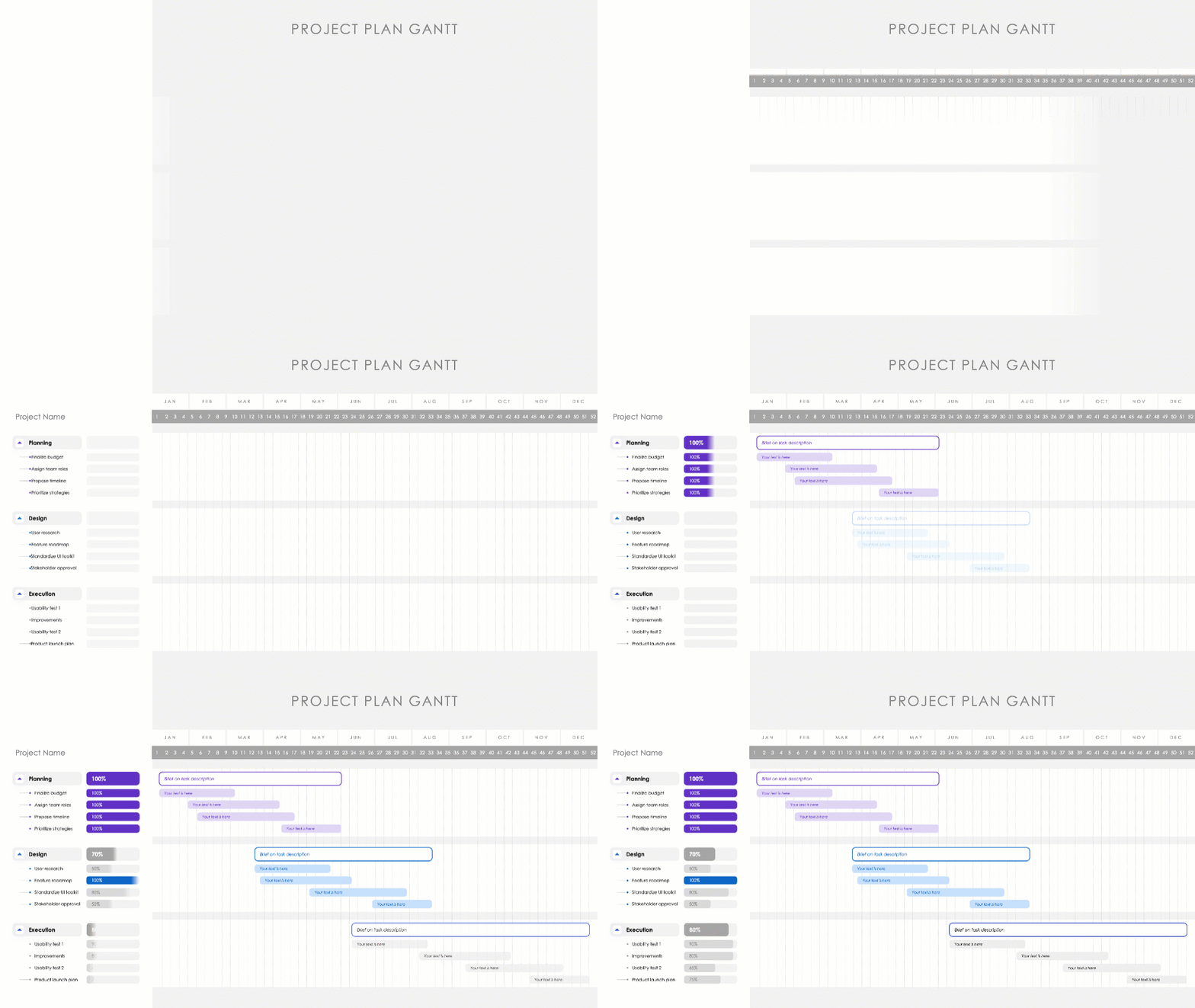
A Project Plan Gantt timeline maps out essential stages with numerous tasks over a full year. (Slide 1-2)
Project Timelines with Status Reports highlight multiple development teams, due dates, and associated tasks. (Slide 12-13)

A Project Timeline with Multiple Streamsallows for clear cross-department communication for smooth hand-offs between phases. (Slide 14-15)

Outcome
Risk management, cost management, and forecasts are some of the most vital skills for any industry. Carefully constructed project timelines help with all three.
This collection provides the tools to create effective project timelines that are visually engaging, easily adaptable, and multi-functional. Navigate your project activities with ease, stay on top of your tasks, and transform your roadmap into a successful launch.
Application
Gantt charts
We begin with two separate Gantt charts. Assign tasks across departments on the left-hand side. On the right, describe tasks and drag them across the timetable. Track and record percentage to completion on the column that divides the two. (Slides 1-2)

Download presentation

Project Timeline Collection
PowerPoint
15 Slides

Project Timeline Collection
Apple Keynote
15 Slides

Project Timeline Collection
Google Slides
15 Slides
To continue, enter your email:
Team members
Timing is always critical for project management. So we've introduced different time periods to track your progress. For example, here, assign a full year's worth of tasks to each responsible team member. Drag the task to easily change the estimated time required for each task. (Slide 3)

Period views
Or monitor a series of tasks over the course of two months. Separate the months with phases and key activities in the middle. This visualization is useful for short-term projects that go from plan to execution phases in 60 days or less. (Slide 4)
Manage a complete project in one quarter. Visualize progress and share percentage to competition with employees and shareholders on the left-hand column. (Slide 5)
Or track a whole half-year of tasks and projects in one slide. Use varied colors to signify different departments and assign roles and responsibilities. Bubbles next to tasks symbolize completion.(Slide 6)
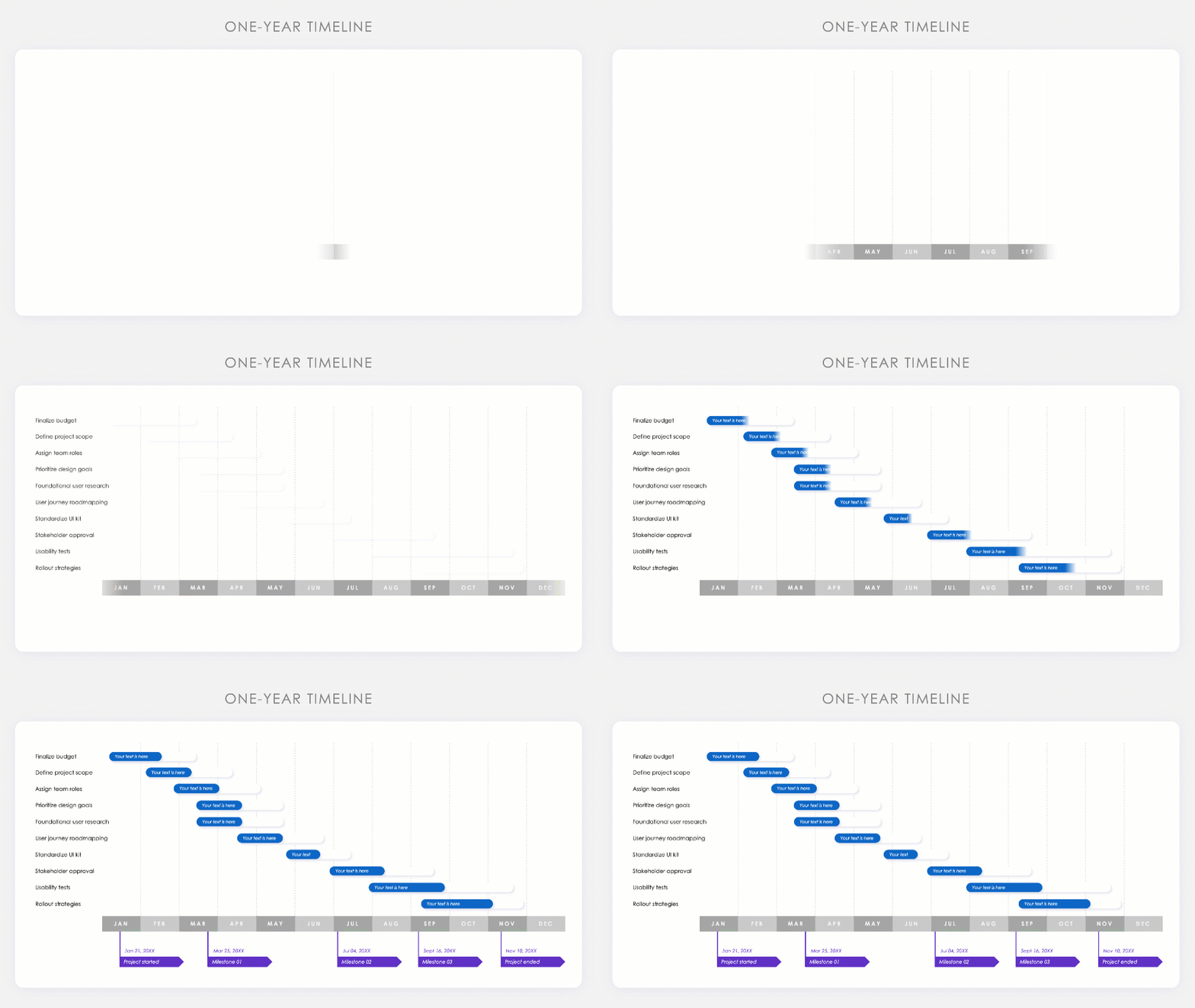
Take a top-down view for projects with a timeline of a full year or longer. Estimate percentages and visualize your development roadmap for the long haul. Plot out key milestones (Slide 8) or assign key team members (Slide 9) with different variations.

Download presentation
Project Timeline Collection
PowerPoint
15 Slides
Project Timeline Collection
Apple Keynote
15 Slides
Project Timeline Collection
Google Slides
15 Slides
To continue, enter your email:
Status report
Add status reports to your timelines to provide context. Get specific on goals and team members responsible for project management meetings. (Slide 12) Or provide a more general overview for external stakeholders with a summary report (Slide 13)

Multi-stream
Manage multiple teams with overlapping timelines. Use a 2-stream visualization to track two departments over a given timeframe (Slide 14) Or a third team to manage three departments at the same time with a 3-stream visualization (Slide 15)
If you need more resources to manage your team and stay on task, check out our [related bracelet="task"] collection. Or if you need help with the plan for your next product launch, check out our [related bracelet="prostr"] deck.
Download presentation
Project Timeline Collection
PowerPoint
15 Slides
Project Timeline Collection
Apple Keynote
15 Slides
Project Timeline Collection
Google Slides
15 Slides
To continue, enter your email: